




ChromaDB vs Pinecone vs Weaviate: Choosing the Right Vector Database for Your RAG Project
A practical comparison based on real production builds. Covers cost, performance, self-hosting, metadata filtering, and which database wins for which use case.
Every RAG system needs a vector database. Your choice here affects cost, performance, compliance, and how much infrastructure you need to manage. We've deployed all three in production — here's what we've learned.
Quick Summary
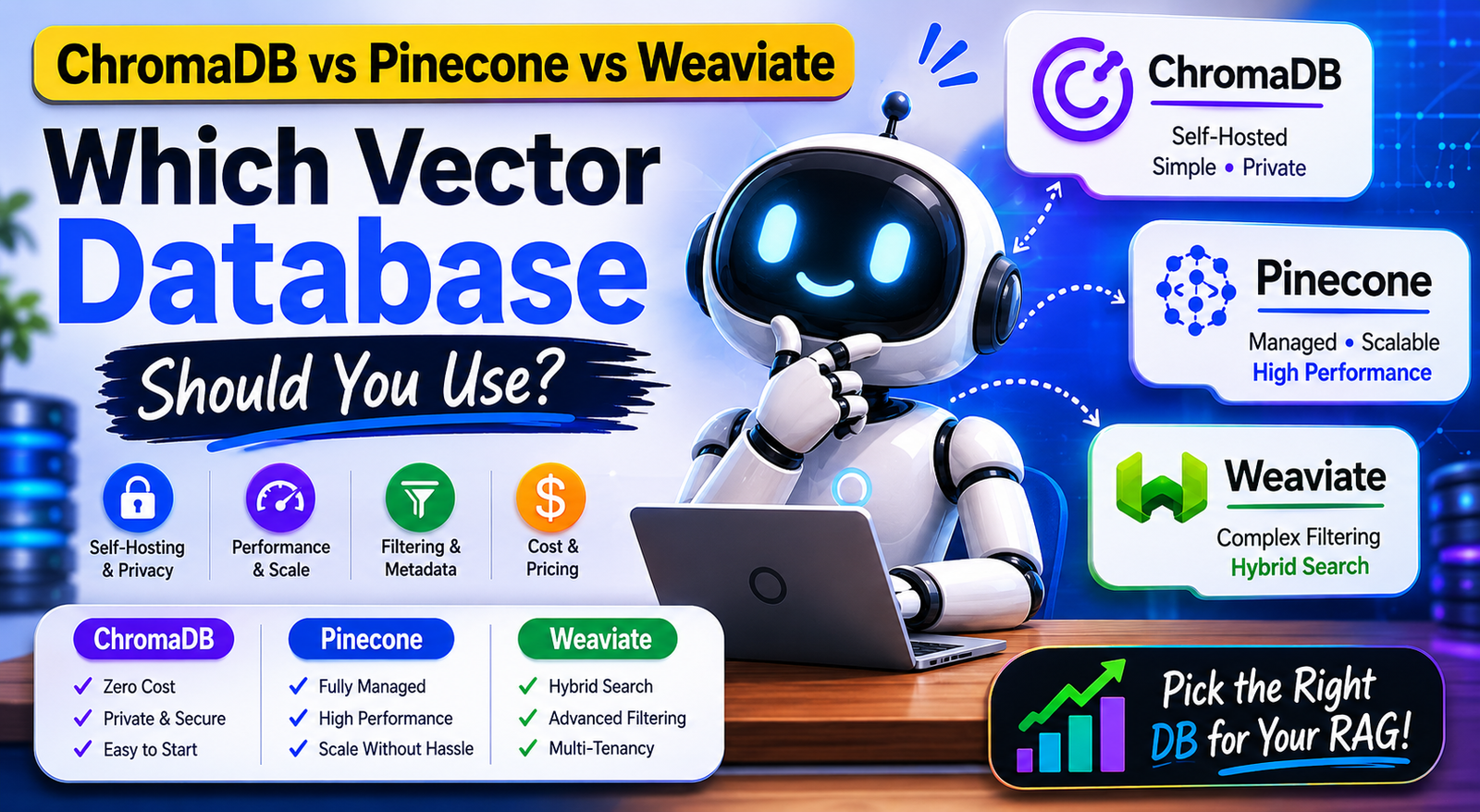
ChromaDB — Best for: Private deployments, development, small-to-medium knowledge bases, zero cloud dependency. Fully embedded, zero external services.
Pinecone — Best for: Production at scale where you don't want to manage infrastructure and have the budget. Managed service, excellent performance.
Weaviate — Best for: Complex filtering, multi-tenant systems, when you need both vector and keyword search. More powerful, more complex.
Qdrant — Honorable mention: Best self-hosted option when you need Pinecone-level performance without the cost.
ChromaDB — The Self-Hosted Default
ChromaDB is our default for most Indian client deployments. The reason is simple: it runs embedded with zero external dependencies. No cloud account, no API key, no data leaving your server.
import chromadb
from chromadb.utils import embedding_functions

# Embedded mode — everything in one file/folder
client = chromadb.PersistentClient(path='./my_knowledge_base')

# Or client mode (separate server process)
client = chromadb.HttpClient(host='localhost', port=8000)

# Create collection
embedding_fn = embedding_functions.OpenAIEmbeddingFunction(
    api_key='YOUR_KEY',
    model_name='text-embedding-3-small'
)

collection = client.get_or_create_collection(
    name='company_docs',
    embedding_function=embedding_fn,
    metadata={'hnsw:space': 'cosine'}
)

# Add documents
collection.add(
    documents=['Your document text here', 'Another document'],
    metadatas=[
        {'source': 'policy.pdf', 'page': 1, 'doc_type': 'policy'},
        {'source': 'faq.pdf', 'page': 1, 'doc_type': 'faq'}
    ],
    ids=['doc_1', 'doc_2']
)

# Query
results = collection.query(
    query_texts=['What is the return policy?'],
    n_results=5,
    where={'doc_type': 'policy'}  # Metadata filtering
)
Strengths:
- Zero cost to run (self-hosted)
- No data leaves your server (compliance win)
- Simple Python API
- Works in serverless / embedded mode
- Good metadata filtering
Weaknesses:
- Single-node (no distributed setup in free version)
- Slower than Pinecone at very large scale (>1M vectors)
- Less mature filtering syntax vs Weaviate
Best for: Knowledge bases under 500,000 vectors. Compliance-sensitive deployments. Development and testing.
Pinecone — The Managed Production Choice
Pinecone is a fully managed vector database. You don't install anything — you just create an index and start using it via API.
from pinecone import Pinecone, ServerlessSpec

pc = Pinecone(api_key='YOUR_PINECONE_KEY')

# Create index
pc.create_index(
    name='company-docs',
    dimension=1536,  # text-embedding-3-small dimensions
    metric='cosine',
    spec=ServerlessSpec(cloud='aws', region='ap-southeast-1')  # Singapore — closest to India
)

index = pc.Index('company-docs')

# Upsert vectors
index.upsert(
    vectors=[
        {
            'id': 'doc_1',
            'values': [0.1, 0.2, ...],
            'metadata': {'source': 'policy.pdf', 'text': 'The return policy states...'}
        }
    ]
)

# Query
results = index.query(
    vector=query_embedding,
    top_k=5,
    filter={'source': 'policy.pdf'},
    include_metadata=True
)
Pricing (as of 2025):
- Serverless: ~$0.04 per 1M vectors stored + $0.04 per 1M queries
- For 100,000 vectors, ~50,000 queries/month: ~$8/month
- For 1M vectors, ~500,000 queries/month: ~$60/month
- No free tier for production use
Strengths:
- Zero infrastructure management
- Excellent performance at any scale
- Good filtering
- High availability built-in
Weaknesses:
- Data goes to Pinecone's US servers (compliance issue for Indian regulated industries)
- Costs grow with scale
- Vendor lock-in
Best for: Production apps where you don't want to manage servers. Non-regulated industries where data residency isn't a concern.
Weaviate — The Power User Choice
Weaviate is the most feature-rich option. It supports vector search, keyword (BM25) search, and hybrid search natively — plus complex filtering and multi-tenancy.
import weaviate
from weaviate.classes.config import Configure, Property, DataType

client = weaviate.connect_to_local()  # or weaviate.connect_to_wcs() for cloud

# Create collection with schema
client.collections.create(
    name='CompanyDocs',
    vectorizer_config=Configure.Vectorizer.text2vec_openai(),
    properties=[
        Property(name='content', data_type=DataType.TEXT),
        Property(name='doc_type', data_type=DataType.TEXT),
        Property(name='source', data_type=DataType.TEXT),
    ]
)

collection = client.collections.get('CompanyDocs')

# Add objects (Weaviate vectorizes automatically if vectorizer configured)
collection.data.insert({
    'content': 'Your document text',
    'doc_type': 'policy',
    'source': 'return_policy.pdf'
})

# Hybrid search (vector + keyword)
results = collection.query.hybrid(
    query='return policy damaged goods',
    limit=5,
    filters=weaviate.classes.query.Filter.by_property('doc_type').equal('policy')
)
Strengths:
- Hybrid search (vector + BM25) — best recall for exact-match queries
- Multi-tenancy built-in (great for SaaS platforms serving multiple clients)
- GraphQL query interface for complex filtering
- Self-hostable (open source)
Weaknesses:
- Most complex to set up and operate
- Heavier infrastructure requirements
- Steeper learning curve
- More to go wrong in production
Best for: SaaS platforms serving multiple tenants, applications requiring both fuzzy and exact search, teams with infrastructure expertise.
Head-to-Head Comparison
| Feature | ChromaDB | Pinecone | Weaviate | Qdrant |
|---|---|---|---|---|
| Self-hosted | Yes | No | Yes | Yes |
| Managed cloud | No | Yes | Yes | Yes (cloud) |
| India data residency | Yes ✅ | No ❌ | Self-hosted ✅ | Yes ✅ |
| Cost at 100k vectors | ₹0 | ~₹650/mo | ₹0 (self) | ₹0 (self) |
| Cost at 1M vectors | VPS cost | ~₹5,000/mo | VPS cost | VPS cost |
| Setup complexity | Low | Low | High | Medium |
| Hybrid search | No | No | Yes | Yes |
| Metadata filtering | Good | Good | Excellent | Excellent |
| Performance (100k vectors) | Fast | Fastest | Fast | Fast |
| Performance (10M vectors) | Slow | Fast | Good | Good |
| Multi-tenancy | Basic | Good | Excellent | Good |
Our Decision Framework
Choose ChromaDB if:
- Data cannot leave your servers
- You're under 500,000 vectors
- You want the simplest setup
- You're using Ollama (they pair naturally)
Choose Pinecone if:
- You're building a product and don't want infra overhead
- You're above 500k vectors and need consistent performance
- Your data can live in the cloud
- Budget is available
Choose Weaviate if:
- You need hybrid search (vector + keyword) — especially for technical/exact queries
- You're building a multi-tenant SaaS platform
- You have the engineering resources to operate it
Choose Qdrant if:
- You want self-hosted performance comparable to Pinecone
- You're comfortable with Rust-based infrastructure
- You need advanced filtering without Weaviate's complexity
What We Use at Monk Media One Tech
Default: ChromaDB for all private/compliance deployments (90% of our builds).
Pinecone: When a client specifically needs managed infrastructure and doesn't have data compliance constraints.
Qdrant: When ChromaDB is too slow for the query volume and self-hosting is required.
Weaviate: Only when the client's use case genuinely needs hybrid search or multi-tenancy — which is rare.
We're Monk Media One Tech — AI automation agency, Ahmedabad. We build RAG systems, private LLM deployments, and AI chatbots.
Book a free discovery call: monkmediaone.tech/contact
📞 +91 88668 19349 | hello@monkmediaone.tech