



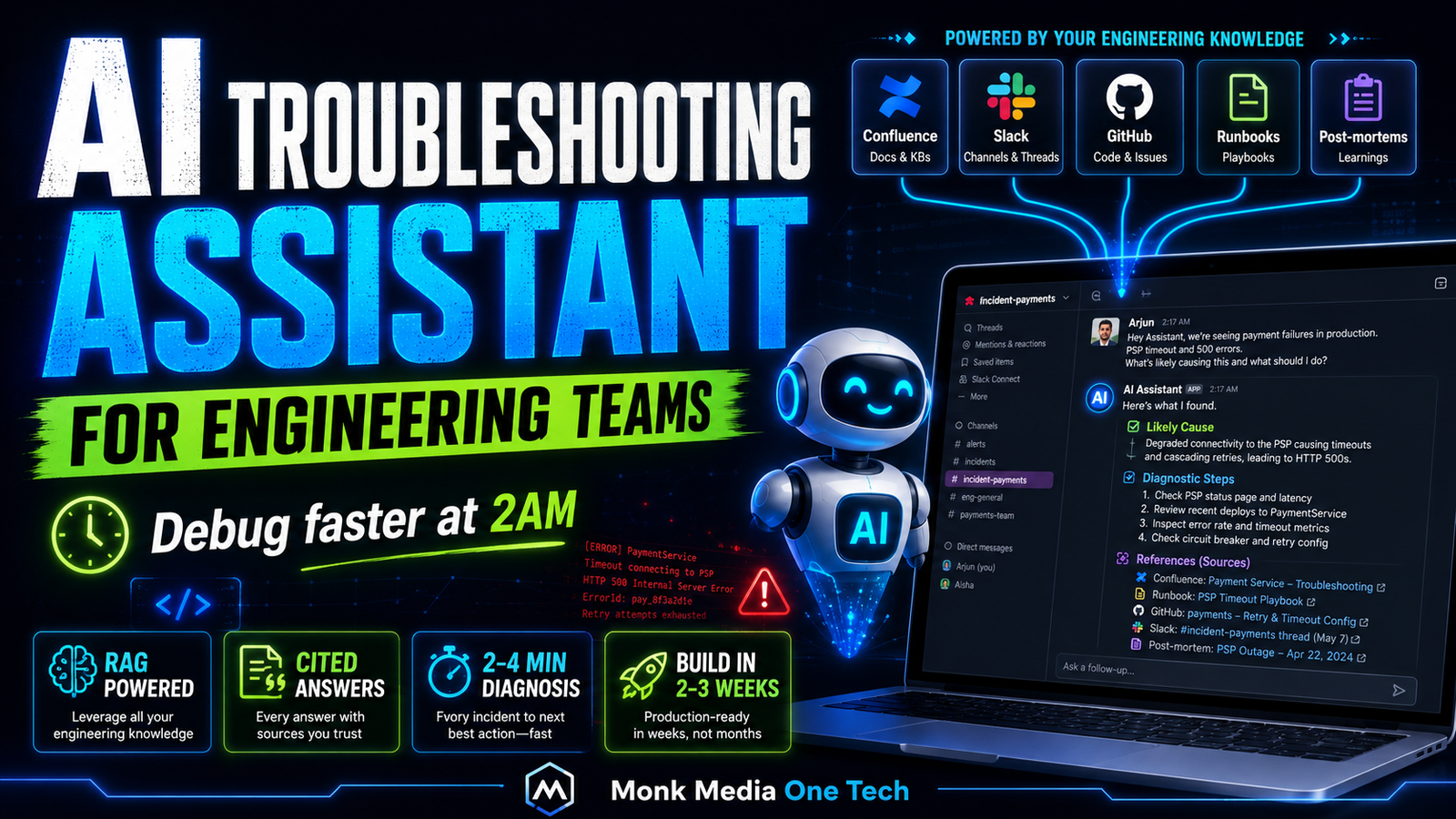
How to Build an AI Troubleshooting Assistant for Your Engineering Team
Full build: a private RAG-powered assistant trained on your runbooks, error logs, Confluence docs, and Slack history — that helps engineers debug faster at 2am.
Every engineering team has institutional knowledge that lives in the wrong places. Critical debugging steps are buried in a Confluence page from 2021. The fix for that recurring Kubernetes error is in a Slack message that the senior engineer who left 8 months ago sent once. The runbook for handling payment gateway outages is in someone's head.
When a production incident happens at 2am, a junior engineer is either calling someone, frantically searching Slack, or guessing. All three options are slow, stressful, and expensive.
We built an AI troubleshooting assistant that ingests all of this scattered knowledge — Confluence docs, Slack threads, runbooks, error playbooks, GitHub issues, post-mortems — and makes it instantly queryable in plain English.
What It Replaces
Before the assistant, an engineer debugging 'PaymentService timeout errors in production' would:
- Search Slack for 'PaymentService timeout' (5–15 minutes, maybe finds something)
- Search Confluence for relevant runbooks (5–10 minutes)
- Check GitHub issues (5 minutes)
- Ask a senior engineer on Slack (wait time: unknown, interrupt cost: high)
Total time to first diagnostic step: 15–30 minutes minimum.
After the assistant:
- Engineer asks: 'We're seeing PaymentService timeouts in prod, started 20 minutes ago, error code PAYMENT_GW_503'
- Assistant responds in 8 seconds with: the known causes of this error, the last time it happened and how it was resolved, the current runbook steps, which team member owns this service, and the escalation path
Knowledge Sources We Ingest
For a typical engineering team:
| Source | What It Contains | How We Ingest |
|---|---|---|
| Confluence | Architecture docs, runbooks, ADRs, onboarding | Confluence REST API |
| Slack | Incident threads, debugging conversations, technical decisions | Slack Export API |
| GitHub | Issues, PR descriptions, README files | GitHub API |
| Post-mortems | Root cause analyses, lessons learned | Document upload |
| Error playbooks | Step-by-step error resolution guides | Document upload |
| Monitoring alerts | Alert definitions, thresholds, context | Prometheus/Grafana API |
| Service READMEs | Setup, config, common issues | GitHub API |
Step 1 — Document Ingestion Pipeline
Confluence Ingestion
import requests
from bs4 import BeautifulSoup

def ingest_confluence(base_url: str, username: str, api_token: str, space_keys: list[str]) -> list[dict]:
    """Fetch all pages from specified Confluence spaces"""

    auth = (username, api_token)
    chunks = []

    for space_key in space_keys:
        # Get all pages in the space
        url = f'{base_url}/rest/api/content'
        params = {
            'type': 'page',
            'spaceKey': space_key,
            'expand': 'body.storage,version,ancestors',
            'limit': 50
        }

        while url:
            response = requests.get(url, params=params, auth=auth)
            data = response.json()

            for page in data['results']:
                # Parse HTML content
                html = page['body']['storage']['value']
                soup = BeautifulSoup(html, 'html.parser')
                text = soup.get_text(separator='
', strip=True)

                if len(text.strip()) < 100:  # Skip empty/tiny pages
                    continue

                # Create metadata-rich chunks
                title = page['title']
                page_url = f'{base_url}/wiki{page['_links']['webui']}'
                ancestors = ' > '.join([a['title'] for a in page.get('ancestors', [])])

                chunks.append({
                    'text': f'Title: {title}
Path: {ancestors}

{text}',
                    'source': 'confluence',
                    'title': title,
                    'url': page_url,
                    'space': space_key,
                    'last_updated': page['version']['when']
                })

            # Pagination
            next_url = data.get('_links', {}).get('next')
            url = f'{base_url}{next_url}' if next_url else None
            params = {}

    return chunks
Slack Ingestion (Key Engineering Channels)
from slack_sdk import WebClient

def ingest_slack_channels(token: str, channel_ids: list[str], days_back: int = 365) -> list[dict]:
    """Fetch Slack messages from specified channels"""

    client = WebClient(token=token)
    chunks = []

    oldest = str(time.time() - days_back * 86400)

    for channel_id in channel_ids:
        # Get channel info
        channel_info = client.conversations_info(channel=channel_id)
        channel_name = channel_info['channel']['name']

        # Fetch messages
        result = client.conversations_history(
            channel=channel_id,
            oldest=oldest,
            limit=1000
        )

        # Group into threads for context preservation
        threads = {}
        for msg in result['messages']:
            if msg.get('thread_ts'):
                thread_ts = msg['thread_ts']
                if thread_ts not in threads:
                    threads[thread_ts] = []
                threads[thread_ts].append(msg)
            else:
                # Standalone message
                if len(msg.get('text', '')) > 100:
                    chunks.append({
                        'text': f'Slack #{channel_name}:
{msg['text']}',
                        'source': 'slack',
                        'channel': channel_name,
                        'timestamp': msg['ts'],
                        'url': f'https://yourworkspace.slack.com/archives/{channel_id}/p{msg['ts'].replace('.','')}'
                    })

        # Add threads as cohesive chunks
        for thread_ts, messages in threads.items():
            thread_text = '
'.join([m.get('text', '') for m in messages if m.get('text')])
            if len(thread_text) > 200:
                chunks.append({
                    'text': f'Slack thread in #{channel_name}:
{thread_text}',
                    'source': 'slack_thread',
                    'channel': channel_name,
                    'thread_ts': thread_ts
                })

    return chunks
Step 2 — Smart Chunking for Technical Content
Technical documentation has special chunking requirements. Code blocks should stay together. Error messages should be preserved exactly.
import re
from LangChain.text_splitter import RecursiveCharacterTextSplitter

def chunk_technical_doc(text: str, metadata: dict) -> list[dict]:
    """Chunk with awareness of code blocks and error messages"""

    # Preserve code blocks as single chunks
    code_blocks = re.findall(r'```[\s\S]*?```', text)
    code_placeholders = {}

    for i, block in enumerate(code_blocks):
        placeholder = f'CODE_BLOCK_{i}'
        text = text.replace(block, placeholder)
        code_placeholders[placeholder] = block

    # Split text
    splitter = RecursiveCharacterTextSplitter(
        chunk_size=800,
        chunk_overlap=100,
        separators=['

## ', '

### ', '

', '
', '. ', ' ']
    )

    raw_chunks = splitter.split_text(text)

    final_chunks = []
    for chunk in raw_chunks:
        # Restore code blocks
        for placeholder, code in code_placeholders.items():
            chunk = chunk.replace(placeholder, code)

        if len(chunk.strip()) > 80:
            final_chunks.append({
                'text': chunk,
                **metadata
            })

    return final_chunks
Step 3 — Vector Storage with Source Tracking
import chromadb
from chromadb.utils.embedding_functions import OpenAIEmbeddingFunction

client = chromadb.PersistentClient(path='./engineering_kb')
embedding_fn = OpenAIEmbeddingFunction(api_key='YOUR_KEY', model_name='text-embedding-3-small')

collection = client.get_or_create_collection(
    name='engineering_knowledge',
    embedding_function=embedding_fn,
    metadata={'hnsw:space': 'cosine'}
)

def index_chunks(chunks: list[dict]):
    batch_size = 100
    for i in range(0, len(chunks), batch_size):
        batch = chunks[i:i + batch_size]
        collection.add(
            documents=[c['text'] for c in batch],
            metadatas=[{k: v for k, v in c.items() if k != 'text' and isinstance(v, (str, int, float, bool))} for c in batch],
            ids=[f'{c['source']}_{i}_{j}' for j, c in enumerate(batch)]
        )
        print(f'Indexed {min(i + batch_size, len(chunks))}/{len(chunks)}')
Step 4 — The Troubleshooting Agent
The assistant needs a different prompt than a general chatbot. It needs to be diagnostic, precise, and action-oriented:
TROUBLESHOOTING_SYSTEM_PROMPT = """You are an expert troubleshooting assistant for [Company Name]'s engineering team.

You have access to:
- Confluence documentation (runbooks, architecture docs, ADRs)
- Historical Slack conversations about past incidents
- GitHub issues and post-mortems
- Service README files

When answering:
1. ALWAYS cite your sources (Confluence page name, Slack thread date, GitHub issue #)
2. If you find a previous incident similar to the current one, LEAD with that: "This looks similar to an incident on [date]. Here's what resolved it:"
3. For active incidents: give step-by-step diagnostic steps in priority order
4. If the issue isn't in your knowledge base, say so clearly: "I don't have documented information about this specific error. Escalation path: [from runbook]"
5. Always include: Owner team, escalation contact, relevant monitoring dashboard links (if mentioned in docs)

Keep responses structured:
- Likely cause(s) (from docs/history)
- Diagnostic steps (numbered)
- Resolution steps (numbered)
- Sources referenced
- Escalation path (if not resolved in 15 minutes)"""

async def troubleshoot(query: str, context_chunks: list[str]) -> str:
    context = '

---

'.join(context_chunks)

    response = await openai_client.chat.completions.create(
        model='gpt-4o',  # Use GPT-4o for complex technical reasoning (not mini)
        messages=[
            {'role': 'system', 'content': TROUBLESHOOTING_SYSTEM_PROMPT},
            {'role': 'user', 'content': f'Context from knowledge base:

{context}

---

Engineer's question:
{query}'}
        ],
        max_tokens=1500,
        temperature=0.1  # Low temperature for consistent, precise answers
    )

    return response.choices[0].message.content
Step 5 — The Interface: Slack Bot (Where Engineers Already Are)
Engineers are in Slack. Don't make them go to a new interface.
from slack_bolt import App
from slack_bolt.adapter.fastapi import SlackRequestHandler

app = App(token=SLACK_BOT_TOKEN, signing_secret=SLACK_SIGNING_SECRET)

@app.event('app_mention')
async def handle_mention(event, say):
    query = event['text'].replace(f'<@{BOT_USER_ID}>', '').strip()
    channel = event['channel']
    thread_ts = event.get('thread_ts') or event['ts']

    # Show typing indicator
    await say(text='🔍 Searching knowledge base...', thread_ts=thread_ts)

    # Retrieve relevant context
    results = collection.query(query_texts=[query], n_results=8)
    context_chunks = results['documents'][0]
    source_metadata = results['metadatas'][0]

    # Generate troubleshooting response
    response = await troubleshoot(query, context_chunks)

    # Add source citations
    sources = list(set([m.get('url', m.get('source', '')) for m in source_metadata if m.get('url')]))
    sources_text = '
'.join([f'• <{url}|Source {i+1}>' for i, url in enumerate(sources[:3]) if url])

    full_response = f'{response}

*Sources used:*
{sources_text}'

    await say(text=full_response, thread_ts=thread_ts)
Results After 3 Months in Production
| Metric | Before | After |
|---|---|---|
| Mean time to first diagnostic step | 18–32 minutes | 2–4 minutes |
| Senior engineer interruptions/day | 12–15 | 3–4 |
| P1 incidents resolved without escalation | 40% | 68% |
| New engineer onboarding time to first solo incident resolution | 3–4 months | 4–6 weeks |
| Post-incident documentation quality | Inconsistent | Consistent (AI-assisted) |
The reduction in senior engineer interruptions was the unexpected benefit. Senior engineers getting 2 extra hours per day of uninterrupted work time is a significant productivity multiplier.
Keeping the Knowledge Base Fresh
The system is only as good as the knowledge it has. Two rules:
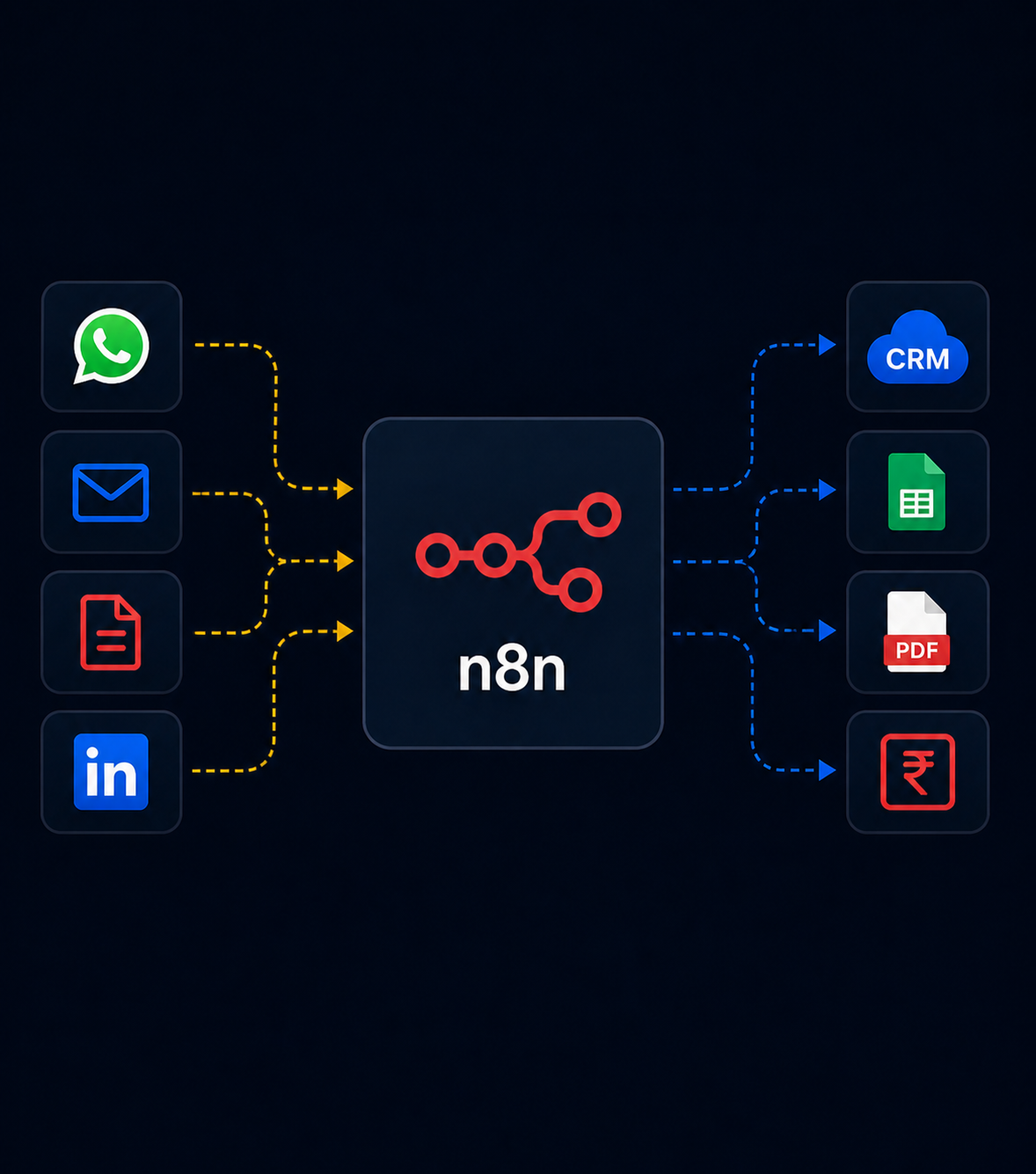
1. Automate re-ingestion: Run a weekly n8n job that pulls new and updated Confluence pages and recent Slack threads from incident channels. New knowledge is automatically indexed.
2. Post-incident ritual: After every P1/P2 incident, require a short post-mortem document. The AI assistant helps write it (it already has the Slack thread context). The post-mortem gets added to Confluence. The next similar incident benefits from it.
Over 3 months, this feedback loop transformed the knowledge base from "whatever was already documented" to a living, growing institutional memory.
Build Cost
| Phase | Time | Cost |
|---|---|---|
| Knowledge ingestion (Confluence + Slack + GitHub) | 3–4 days | ₹40,000–60,000 |
| RAG pipeline and chunking | 2 days | ₹20,000–30,000 |
| Slack bot interface | 1–2 days | ₹15,000–25,000 |
| Testing and refinement | 3–5 days | ₹30,000–50,000 |
| Total build | 2–3 weeks | ₹1,05,000–1,65,000 |
Monthly running cost: ₹3,000–6,000 (OpenAI API + VPS).
For an engineering team of 10+ developers, recovering 2–3 hours per week per engineer in reduced incident resolution time = 200–300 hours/month. At even ₹500/hour equivalent: ₹1,00,000–1,50,000/month in recovered productivity.
We're Monk Media One Tech — AI automation agency, Ahmedabad, India. We build engineering AI tools, RAG systems, and automation for technical teams.
Book a free discovery call: monkmediaone.tech/contact
📞 +91 88668 19349 | hello@monkmediaone.tech