





How to Build a Shopify AI Inventory Sync and Low-Stock Alert System with N8N
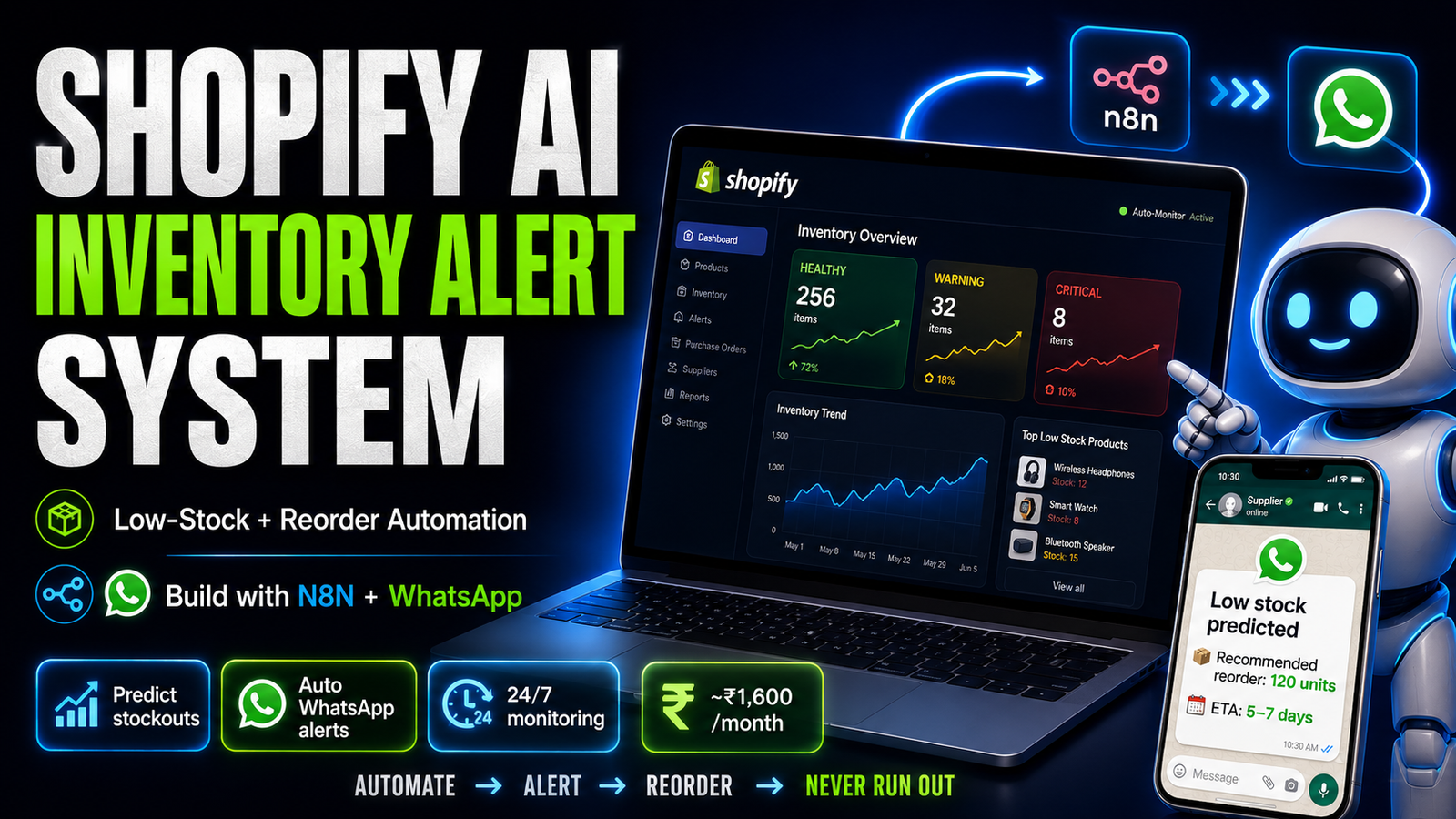
Full workflow: real-time Shopify inventory monitoring, AI-powered reorder suggestions, supplier WhatsApp alerts, and predictive stockout warnings based on sales velocity.
Stockouts are the silent revenue killer for Indian D2C brands. A product out of stock on a Friday evening, discovered Monday morning, means an entire weekend of lost sales, missed ad spend, and potential customers who bought from a competitor.
We built an AI-powered inventory monitoring system for a D2C client in Surat that specializes in Shopify inventory management:
- Monitors Shopify inventory in real time
- Predicts stockouts 7–14 days in advance based on sales velocity
- Automatically alerts the right team member via WhatsApp
- Generates AI-written reorder recommendations with specific quantities
- Tracks supplier response and expected delivery timelines
Here's the full build.
The Problem We Solved
Before this system, the client's operations manager checked inventory manually every morning in Shopify. By 9am, he had a list of low-stock products. He then messaged suppliers manually on WhatsApp, tracked responses in a WhatsApp group, and updated a spreadsheet.
Weekends and evenings: no monitoring. Products hitting zero stock at 8pm on Saturday → no action until Monday.
Three times in a quarter, major products ran out during peak campaign periods. Estimated revenue loss: ₹8–12 lakhs.
Architecture
Shopify Inventory Changes (webhook)
         │
         ▼
N8N Webhook Receiver
         │
         ▼
Calculate sales velocity (last 30 days)
         │
         ▼
Predict days until stockout
         │
    ┌────┴────┬────────────┐
  >30 days  7-30 days   <7 days
  (Monitor) (Warning)   (Critical)
                │           │
                ▼           ▼
         AI Reorder    Immediate
         Suggestion   Alert + Auto
                      WhatsApp to
                      Supplier
         │
         ▼
    Log to Google Sheets
    Update inventory dashboard
Step 1 — Shopify Webhooks for Real-Time Monitoring
Set up a Shopify webhook that fires every time inventory changes:
In Shopify Admin → Settings → Notifications → Webhooks:
Topic: Inventory levels / Update
URL: https://your-n8n.yourdomain.com/webhook/shopify-inventory
Or set up programmatically:
// N8N HTTP Request — Register Shopify webhook
{
  "url": "https://YOUR-STORE.myshopify.com/admin/api/2024-01/webhooks.json",
  "method": "POST",
  "headers": { "X-Shopify-Access-Token": "YOUR_TOKEN" },
  "body": {
    "webhook": {
      "topic": "inventory_levels/update",
      "address": "https://your-n8n.yourdomain.com/webhook/shopify-inventory",
      "format": "json"
    }
  }
}
The webhook payload includes:
{
  "inventory_item_id": 12345678,
  "location_id": 87654321,
  "available": 15,
  "updated_at": "2025-05-15T14:30:00Z"
}
Step 2 — Get Product Details and Sales History
When a webhook fires, enrich with product information:
// Get product details from inventory_item_id
const inventory_item = await shopify_api.get(`/inventory_items/${inventory_item_id}`);
const variant = await shopify_api.get(`/variants/${inventory_item.variant_id}`);
const product = await shopify_api.get(`/products/${variant.product_id}`);

// Get last 30 days of orders for this variant
const thirty_days_ago = new Date(Date.now() - 30 * 24 * 60 * 60 * 1000).toISOString();
const orders = await shopify_api.get(
    `/orders.json?status=any&created_at_min=${thirty_days_ago}&fields=line_items,created_at`
);

// Count units sold
const units_sold_30d = orders.orders
    .flatMap(o => o.line_items)
    .filter(item => item.variant_id === variant.id)
    .reduce((sum, item) => sum + item.quantity, 0);
Step 3 — Sales Velocity and Stockout Prediction
const available = $json.available;           // Current stock
const units_sold_30d = $json.units_sold;    // Units sold in last 30 days
const daily_velocity = units_sold_30d / 30; // Average daily sales

// Days until stockout
const days_until_stockout = daily_velocity > 0
    ? Math.floor(available / daily_velocity)
    : 999; // If no recent sales, treat as safe

// Account for weekends (higher sales velocity)
// Get weekend vs weekday split from last 30 days
const weekend_multiplier = 1.3;  // Weekends sell 30% more for this client
const adjusted_velocity = isWeekend() ? daily_velocity * weekend_multiplier : daily_velocity;
const adjusted_days = available / adjusted_velocity;

// Classify alert level
let alert_level;
if (days_until_stockout <= 5) alert_level = 'CRITICAL';
else if (days_until_stockout <= 14) alert_level = 'WARNING';
else if (days_until_stockout <= 30) alert_level = 'MONITOR';
else alert_level = 'HEALTHY';

// Calculate reorder quantity
const lead_time_days = $json.supplier_lead_time_days || 7;  // From supplier master list
const safety_stock = Math.ceil(daily_velocity * 14);  // 2 weeks safety buffer
const reorder_qty = Math.ceil(
    (daily_velocity * (lead_time_days + 30)) - available + safety_stock
);
Step 4 — AI Reorder Recommendation
For WARNING and CRITICAL alerts, generate an AI-written reorder recommendation:
System prompt:
You are an inventory manager for a D2C brand. Generate a WhatsApp-ready
reorder message to send to the supplier.

Product: {{ $json.product_name }}
SKU: {{ $json.sku }}
Current stock: {{ $json.available }} units
Days until stockout: {{ $json.days_until_stockout }}
Recommended order quantity: {{ $json.reorder_qty }}
Supplier: {{ $json.supplier_name }}
Supplier lead time: {{ $json.lead_time }} days
Last purchase price: ₹{{ $json.last_price }} per unit

Write a WhatsApp message to the supplier that:
- States the product and quantity needed
- Gives an urgency-appropriate delivery deadline
- Is professional and specific
- Under 100 words
- In a natural WhatsApp message style

Return ONLY the message text.
Sample output:
Hi Rameshbhai,

Need urgent restocking for [Product Name] (SKU: ABC123).

Current stock critically low — 5 days remaining at current sales rate.

Please arrange:
Quantity: 500 units
Required delivery: By May 22nd (5 days)

Can you confirm availability and arrange priority dispatch?

Thanks
[Name]
Step 5 — WhatsApp Alert Routing
Different alert levels go to different people:
const alert_routing = {
    CRITICAL: {
        recipients: [ops_manager_phone, founder_phone],
        message_prefix: "🚨 CRITICAL STOCK ALERT"
    },
    WARNING: {
        recipients: [ops_manager_phone],
        message_prefix: "⚠️ LOW STOCK WARNING"
    },
    MONITOR: {
        recipients: [ops_manager_phone],
        message_prefix: "📊 INVENTORY MONITOR"
    }
};

// Also send supplier message if CRITICAL
if (alert_level === 'CRITICAL' && auto_supplier_contact) {
    await send_whatsapp(supplier_phone, ai_reorder_message);
    log_to_sheets({ action: 'auto_supplier_message', ...product_data });
}
Step 6 — Predictive Morning Report
In addition to real-time webhooks, run a daily batch at 7am that generates a forward-looking report:
// Get all products with < 30 days stock at current velocity
const at_risk_products = all_products.filter(p => p.days_until_stockout < 30);

// Sort by urgency
at_risk_products.sort((a, b) => a.days_until_stockout - b.days_until_stockout);

const morning_report = `📦 *Inventory Morning Report — ${date}*

🚨 *Critical (<7 days):*
${critical.map(p => `• ${p.name}: ${p.available} units (${p.days} days)`).join('
')}

⚠️ *Warning (7-14 days):*
${warning.map(p => `• ${p.name}: ${p.available} units (${p.days} days)`).join('
')}

📊 *Monitor (14-30 days):*
${monitor.length} products

Total reorders needed today: ${critical.length + warning.filter(p=>p.days<10).length}
Estimated reorder value: ₹${total_reorder_value.toLocaleString('en-IN')}

[View full report in Sheets: ${sheets_link}]`;
Results from 90 Days in Production
| Metric | Before | After |
|---|---|---|
| Stockout incidents | 3/quarter | 0 in 90 days |
| Average time to reorder after alert | 6 hours (if during business hours) | 15 minutes (automated) |
| Weekend stockout detection | None | Real-time, 24/7 |
| Ops manager time on inventory monitoring | 45 min/day | 10 min/day (review only) |
| Stockout-related revenue loss | ₹8–12 lakhs/quarter | ₹0 |
The ROI here is unambiguous. Three prevented stockout incidents at ₹3–4 lakhs each = ₹9–12 lakhs per quarter vs ₹1,200/month system cost.
System Cost
| Component | Monthly Cost |
|---|---|
| N8N self-hosted | ₹800 |
| OpenAI GPT-4o-mini (reorder messages) | ~₹300 |
| Shopify API (included in plan) | ₹0 |
| WhatsApp Business API | ₹500 |
| Google Sheets | ₹0 |
| Total | ~₹1,600/month |
We're Monk Media One Tech — AI automation agency, Ahmedabad. We build inventory automation, e-commerce AI systems, and N8N workflows for D2C brands.
Book a free discovery call: monkmediaone.tech/contact
📞 +91 88668 19349 | hello@monkmediaone.tech