



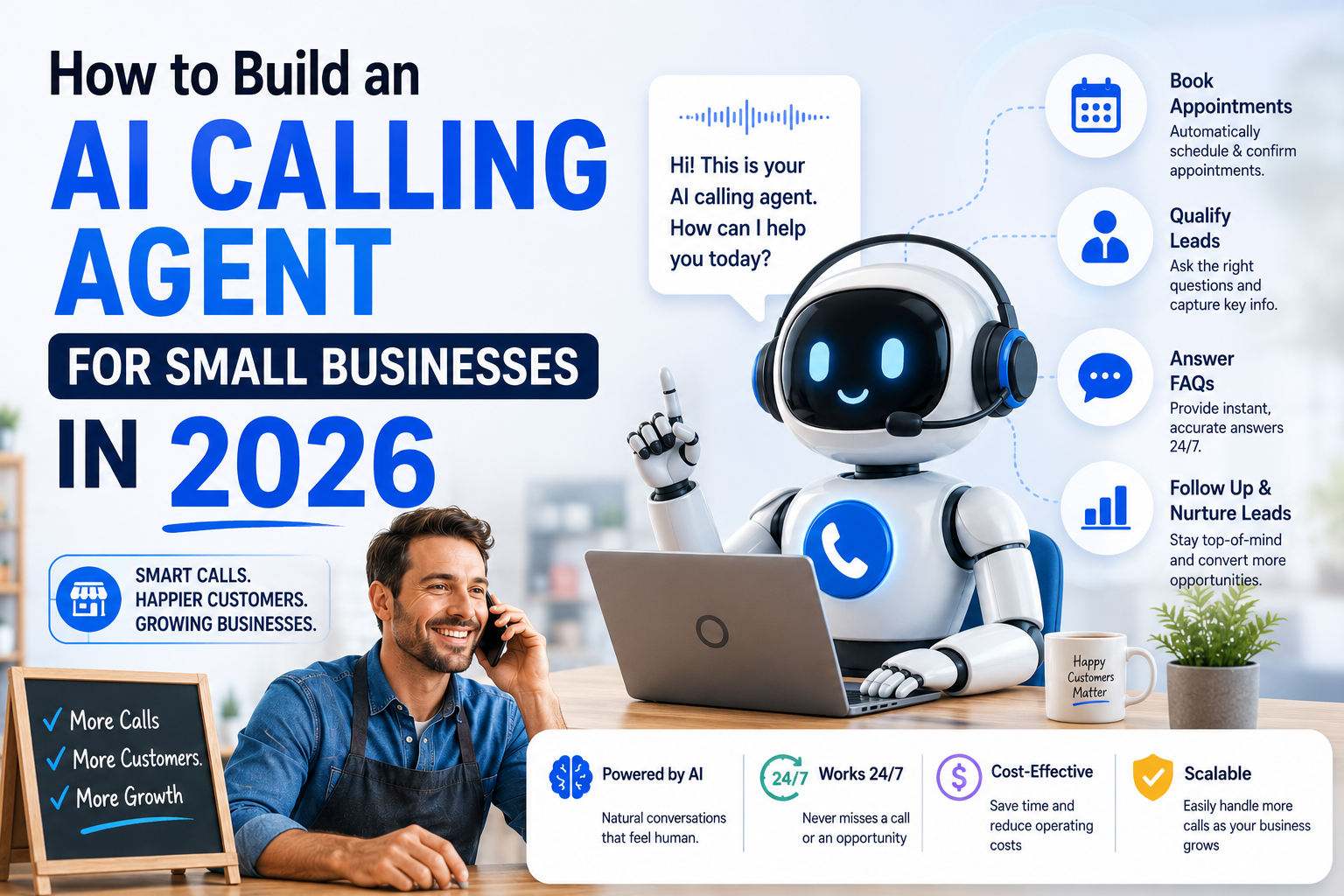
How to Build an AI Calling Agent for Small Businesses in 2026
Small businesses lose thousands of leads every year to a simple problem: no one picks up the phone.
Leads call after hours. Sales reps are busy. Follow-up calls never happen. And the prospect books with a competitor who called back first.
An AI calling agent solves this permanently. It answers every call, qualifies every lead, books appointments directly into your calendar, and escalates to a human only when it needs to — 24 hours a day, 7 days a week, in any language.
At Monk Media One Tech, we've built AI calling agents for accounting firms in Toronto, real estate developers in Ahmedabad, and SaaS companies across India. This is the exact architecture we use.
What Is an AI Calling Agent?
An AI calling agent is a voice-powered conversational AI system that can autonomously make and receive phone calls. Unlike a basic IVR (press 1 for sales, press 2 for support), an AI calling agent understands natural language, holds a full conversation, remembers context across turns, and takes actions — booking appointments, updating CRMs, sending follow-up WhatsApp messages — all without human involvement.
The core components are:
- Telephony layer — handles the actual phone call (we use Twilio)
- Speech-to-text — converts spoken audio to text in real time (we use Deepgram)
- LLM brain — processes the transcript and decides what to say next (OpenAI GPT-4o or a local Mistral model)
- Text-to-speech — converts the LLM's response back into natural-sounding voice (we use ElevenLabs)
- Orchestration layer — manages the flow, memory, and tool calls (Python + LangChain)
Architecture Overview
Inbound Call (Twilio)
        │
        ▼
Twilio Webhook → FastAPI Server
        │
        ▼
Audio Stream → Deepgram (real-time STT)
        │
   Transcript
        │
        ▼
LangChain Agent
   ├── Conversation memory (last 10 turns)
   ├── System prompt (business context)
   └── Tools:
       ├── check_calendar_availability()
       ├── book_appointment()
       ├── update_crm_lead()
       └── send_whatsapp_followup()
        │
   LLM Response Text
        │
        ▼
ElevenLabs TTS → Audio stream back to Twilio
        │
        ▼
Caller hears natural voice response
Total latency target: under 1.2 seconds from end of caller speech to start of agent response. Achievable with the stack below.
Step 1 — Set Up Twilio for Inbound Calls
First, get a Twilio phone number. For India, you'll need a Twilio India DID or use a US/Canada number for international clients.
# requirements.txt
twilio==8.10.0
fastapi==0.110.0
uvicorn==0.27.0
deepgram-sdk==3.2.7
elevenlabs==1.0.4
langchain==0.1.20
langchain-openai==0.1.6
python-dotenv==1.0.0
Configure your Twilio webhook to point to your FastAPI server:
# main.py
from fastapi import FastAPI, Request
from fastapi.responses import Response
from twilio.twiml.voice_response import VoiceResponse, Connect, Stream
import uvicorn

app = FastAPI()

@app.post("/incoming-call")
async def handle_incoming_call(request: Request):
    """Twilio calls this when someone dials your number"""
    response = VoiceResponse()

    # Connect to a WebSocket stream for real-time audio
    connect = Connect()
    stream = Stream(url=f"wss://yourdomain.com/audio-stream")
    stream.parameter(name="caller", value="{{ Caller }}")
    connect.append(stream)
    response.append(connect)

    return Response(content=str(response), media_type="application/xml")
In your Twilio console, set the webhook URL for your phone number to https://yourdomain.com/incoming-call.
Step 2 — Real-Time Speech-to-Text with Deepgram
Deepgram Nova-2 is the fastest and most accurate STT model for conversational AI. It handles Indian accents exceptionally well — important if your callers are speaking in Indian English.
# deepgram_handler.py
from deepgram import DeepgramClient, LiveTranscriptionEvents, LiveOptions
import asyncio

async def transcribe_audio_stream(audio_queue: asyncio.Queue, transcript_callback):
    """Real-time transcription from Twilio audio stream"""
    deepgram = DeepgramClient(api_key="YOUR_DEEPGRAM_KEY")

    dg_connection = deepgram.listen.asynclive.v("1")

    async def on_message(self, result, **kwargs):
        sentence = result.channel.alternatives[0].transcript
        if len(sentence) == 0:
            return
        if result.is_final:
            # Caller finished speaking — trigger LLM response
            await transcript_callback(sentence)

    dg_connection.on(LiveTranscriptionEvents.Transcript, on_message)

    options = LiveOptions(
        model="nova-2",
        language="en-IN",          # Indian English
        smart_format=True,
        interim_results=True,
        utterance_end_ms="1000",   # 1 second silence = end of utterance
        vad_events=True,
        endpointing=300
    )

    await dg_connection.start(options)

    # Feed audio from Twilio stream
    while True:
        audio_chunk = await audio_queue.get()
        if audio_chunk is None:
            break
        await dg_connection.send(audio_chunk)

    await dg_connection.finish()
Key setting: utterance_end_ms="1000" — this waits 1 second of silence before triggering a response. Too short and the agent interrupts. Too long and it feels slow. 1000ms is the sweet spot for business calls.
Step 3 — The LLM Brain with LangChain
This is where the intelligence lives. The agent needs a system prompt that defines its persona, its business knowledge, and its available tools.
# agent.py
from langchain_openai import ChatOpenAI
from langchain.agents import create_openai_tools_agent, AgentExecutor
from langchain.memory import ConversationBufferWindowMemory
from langchain_core.prompts import ChatPromptTemplate, MessagesPlaceholder
from langchain_core.tools import tool
import json
from datetime import datetime

# Define tools the agent can use
@tool
def check_availability(date: str, time_preference: str) -> str:
    """Check calendar availability for a given date and time preference.
    Args:
        date: Date in YYYY-MM-DD format
        time_preference: 'morning', 'afternoon', or 'evening'
    """
    # Connect to your calendar API (Google Calendar, Calendly, etc.)
    # This is a simplified example
    available_slots = get_calendar_slots(date, time_preference)
    return json.dumps(available_slots)

@tool
def book_appointment(name: str, phone: str, email: str, date: str, time: str, service: str) -> str:
    """Book an appointment and add to CRM.
    Args:
        name: Customer full name
        phone: Customer phone number
        email: Customer email
        date: Appointment date YYYY-MM-DD
        time: Appointment time HH:MM
        service: Service requested
    """
    # Save to your CRM / calendar
    booking_id = create_booking(name, phone, email, date, time, service)
    send_confirmation_whatsapp(phone, name, date, time)
    return f"Appointment booked successfully. Booking ID: {booking_id}"

@tool
def get_service_pricing(service: str) -> str:
    """Get pricing information for a specific service."""
    pricing = {
        "consultation": "₹2,000 for 45 minutes",
        "full_audit": "₹8,000 for comprehensive business audit",
        "monthly_retainer": "Starting ₹25,000 per month"
    }
    return pricing.get(service.lower(), "Please ask for custom pricing")

# Build the agent
def create_calling_agent(business_context: str):
    llm = ChatOpenAI(
        model="gpt-4o-mini",        # Fast and cheap for voice
        temperature=0.3,             # Low temp = consistent, professional responses
        max_tokens=150               # Keep responses short for voice
    )

    tools = [check_availability, book_appointment, get_service_pricing]

    prompt = ChatPromptTemplate.from_messages([
        ("system", f"""You are a professional AI assistant for {business_context}.

VOICE CONVERSATION RULES:
- Keep every response under 40 words. This is a phone call, not an essay.
- Never use bullet points, markdown, or lists. Speak naturally.
- Always confirm what you heard before taking action.
- If you don't know something, say so clearly and offer to have someone call back.
- Be warm and professional. Use the caller's name once you have it.
- Your goal is to either book an appointment or capture their contact details.

BUSINESS CONTEXT:
{business_context}

Today's date: {datetime.now().strftime('%A, %B %d, %Y')}"""),
        MessagesPlaceholder(variable_name="chat_history"),
        ("human", "{input}"),
        MessagesPlaceholder(variable_name="agent_scratchpad"),
    ])

    memory = ConversationBufferWindowMemory(
        memory_key="chat_history",
        return_messages=True,
        k=10  # Remember last 10 turns
    )

    agent = create_openai_tools_agent(llm, tools, prompt)
    executor = AgentExecutor(
        agent=agent,
        tools=tools,
        memory=memory,
        verbose=False,
        max_iterations=3  # Prevent infinite loops
    )

    return executor
The max_tokens=150 limit is critical. Long LLM responses feel unnatural on a phone call. 40 words is roughly 8 seconds of speech — perfect for a conversational exchange.
Step 4 — Text-to-Speech with ElevenLabs
ElevenLabs produces the most natural-sounding voices available. For Indian English, we use the "Aria" or "Sarah" voice and clone it if the client wants a branded voice.
# tts_handler.py
from elevenlabs.client import ElevenLabs
from elevenlabs import VoiceSettings
import asyncio

client = ElevenLabs(api_key="YOUR_ELEVENLABS_KEY")

async def text_to_speech_stream(text: str) -> bytes:
    """Convert text to speech and return audio bytes"""

    # Remove any markdown formatting that leaked through
    clean_text = text.replace("*", "").replace("#", "").replace("\n", " ").strip()

    audio = client.generate(
        text=clean_text,
        voice="Aria",
        model="eleven_turbo_v2_5",   # Fastest model, ~300ms latency
        voice_settings=VoiceSettings(
            stability=0.6,
            similarity_boost=0.8,
            style=0.2,
            use_speaker_boost=True
        ),
        stream=True
    )

    audio_bytes = b""
    for chunk in audio:
        audio_bytes += chunk

    return audio_bytes
Use eleven_turbo_v2_5 — not the standard model. The turbo model has ~300ms latency vs ~800ms for standard. For a real-time phone call, that difference is everything.
Step 5 — WebSocket Handler (Ties Everything Together)
# websocket_handler.py
from fastapi import WebSocket
import asyncio
import base64
import json

@app.websocket("/audio-stream")
async def audio_stream(websocket: WebSocket):
    await websocket.accept()

    audio_queue = asyncio.Queue()
    agent = create_calling_agent(
        business_context="Monk Media One Tech, an AI automation agency in Ahmedabad. We build AI agents, automation workflows, and custom software. Our packages start from ₹75,000."
    )

    async def handle_transcript(transcript: str):
        """Called when caller finishes speaking"""
        print(f"Caller said: {transcript}")

        # Get agent response
        response = await asyncio.get_event_loop().run_in_executor(
            None,
            lambda: agent.invoke({"input": transcript})
        )

        response_text = response["output"]
        print(f"Agent response: {response_text}")

        # Convert to speech
        audio_bytes = await text_to_speech_stream(response_text)

        # Send audio back to Twilio
        audio_b64 = base64.b64encode(audio_bytes).decode()
        await websocket.send_json({
            "event": "media",
            "streamSid": stream_sid,
            "media": {"payload": audio_b64}
        })

    # Start transcription in background
    transcription_task = asyncio.create_task(
        transcribe_audio_stream(audio_queue, handle_transcript)
    )

    stream_sid = None

    try:
        async for message in websocket.iter_text():
            data = json.loads(message)

            if data["event"] == "start":
                stream_sid = data["start"]["streamSid"]
                print(f"Call started: {stream_sid}")

                # Greet the caller
                greeting = "Thank you for calling Monk Media One Tech. I'm your AI assistant. How can I help you today?"
                audio_bytes = await text_to_speech_stream(greeting)
                audio_b64 = base64.b64encode(audio_bytes).decode()
                await websocket.send_json({
                    "event": "media",
                    "streamSid": stream_sid,
                    "media": {"payload": audio_b64}
                })

            elif data["event"] == "media":
                # Forward audio to Deepgram
                audio_data = base64.b64decode(data["media"]["payload"])
                await audio_queue.put(audio_data)

            elif data["event"] == "stop":
                await audio_queue.put(None)
                break

    finally:
        transcription_task.cancel()
Cost Breakdown (Real Numbers)
Here's what this actually costs to run per month for a small business handling 500 calls/month, averaging 3 minutes each:
| Component | Usage | Monthly Cost |
|---|---|---|
| Twilio (India DID + minutes) | 500 calls × 3 min | ~$45 |
| Deepgram Nova-2 | 1,500 minutes | ~$10 |
| OpenAI GPT-4o-mini | ~150k tokens | ~$1.50 |
| ElevenLabs Turbo | ~50,000 characters | ~$8 |
| Server (VPS) | Always-on | ~$20 |
| Total | ~$84/month |
For a business that was paying a receptionist ₹20,000/month, this is a significant saving — with 24/7 coverage and zero sick days.
Common Mistakes We've Seen
- Making the agent too verbose. The most common mistake. LLMs want to be helpful and write long responses. Hard-limit your
max_tokensand add explicit instructions in the system prompt to keep responses short. - No barge-in handling. If a caller interrupts the agent mid-sentence, the system should stop speaking and listen. This requires interrupt detection on the Twilio stream — set
interruptible=Truein your Twilio config. - Wrong language model for voice. GPT-4 Turbo is too slow for real-time voice. Use GPT-4o-mini (fast) or Claude Haiku. Reserve the bigger models for complex reasoning tasks.
- No fallback to human. Always build a handoff mechanism. If the caller says "I want to speak to a human" or the agent fails twice, transfer the call. Trust is more valuable than full automation.
- Ignoring background noise. Deepgram handles noise well, but configure
noise_reduction=truein production. Callers from construction sites and open offices will thank you.
Deployment Checklist
- Twilio account with verified phone number
- Deepgram API key (Nova-2 model)
- ElevenLabs API key (Turbo v2.5 model)
- OpenAI API key (GPT-4o-mini)
- FastAPI server deployed on VPS (DigitalOcean/Hetzner recommended)
- SSL certificate (Twilio requires HTTPS)
- ngrok for local testing before deployment
- Webhook configured in Twilio console
- CRM integration connected (HubSpot, Zoho, or custom)
- Test with at least 20 calls before going live
What We've Learned After Building 10+ of These
The technology is the easy part. The hard part is the conversation design.
Spend more time on your system prompt than on your code. Define exactly what the agent should and should not do. Give it knowledge about your pricing, your team, your services, your working hours. The more context it has, the less it will hallucinate.
And always tell callers they're speaking with an AI. It builds trust. Callers who know they're speaking to an AI are more forgiving of the occasional mis-hear and more impressed when it works well.
We're Monk Media One Tech — an AI automation agency based in Ahmedabad, India with a branch in Ontario, Canada. We build production AI calling agents, autonomous AI systems, and workflow automation for businesses across India and North America.
Book a free discovery call: monkmediaone.tech/contact
📞 +91 88668 19349 | hello@monkmediaone.tech